


How to change 1and1 PHP version conversion
Here's a guide on how to change the 1and1 PHP version conversion:
1. Log in to your 1and1 account.
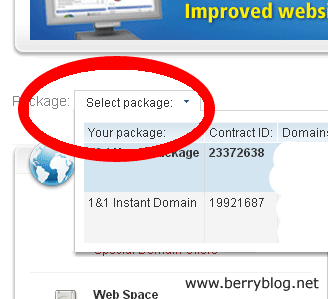
2. Select the package you would like to have the PHP version change. You should select a package with web hosting inclusion. Instant domain packages doesn't have any PHP version to convert.
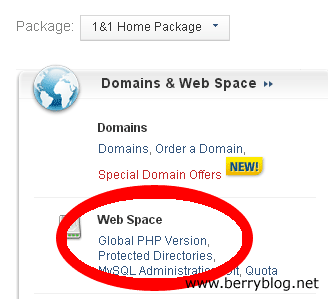
2. On Domains & Web Space, click the Global PHP Version under Web Space.
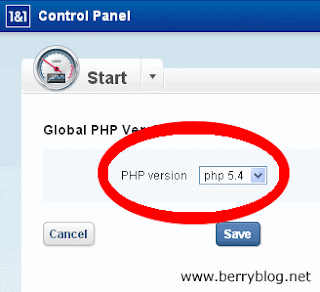
3. Select the PHP version you want. Then click the save button.
That's it.
Read more »
1. Log in to your 1and1 account.
2. Select the package you would like to have the PHP version change. You should select a package with web hosting inclusion. Instant domain packages doesn't have any PHP version to convert.
2. On Domains & Web Space, click the Global PHP Version under Web Space.
3. Select the PHP version you want. Then click the save button.
That's it.


